After building and managing confidential products at McKinsey & Company for 12 years I will be using this space to share new projects and experiments moving forward.
For starters, a behind-the-scenes look at the process behind this site from design system to deployment.
The short version: a real design system as the foundation, AI tools doing what they do well on execution, and a carbon-based life form reviewing and directing every step.
1 Design System in Figma
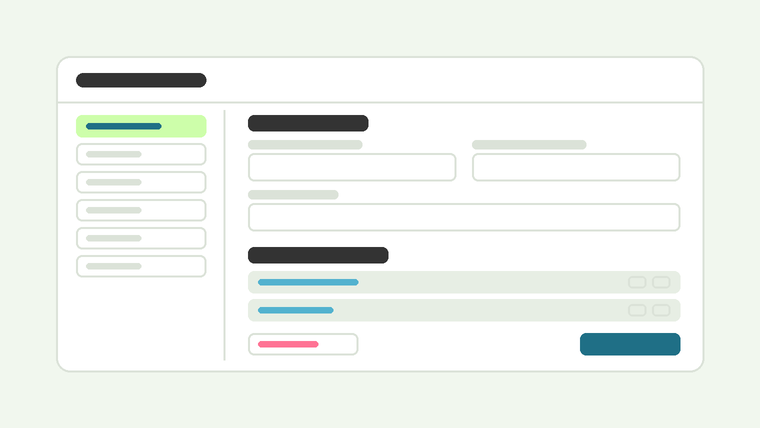
Before any prompting or prototyping, I built a foundational design system in Figma:
- Color palette (including dark mode alternates)
- Typography system & type scale
- Grid & column structure
- A base set of reusable components
This wasn't just a sketch or a moodboard, I structured it to translate directly into code as best I could. I exported it as two files that became the source of truth for everything downstream:
- globals.css (CSS custom properties for color, spacing, and typography)
- primitives.tokens.json (the raw design tokens)
Defining the tokens up front meant every AI tool I used later had a shared vocabulary to build against, instead of guessing at hex codes and pixel values from a screenshot.
2 Rapid prototyping in v0
With the design system exported, I moved into v0 and fed it the globals.css and primitives.tokens.json files directly insuring that it inherited the actual design language rather than inventing its own.
From there:
- Instead of generating a full page in one pass I directed v0 at individual Figma frames and built the interface one component at a time. I've found that smaller units are easier to check against the source design
- Reviewed each component against its Figma frame before moving to the next one
- Once the static layout was in place refined interactions and states (hover, focus, transitions) in a second pass
Human-in-the-loop matters here, v0 handled scaffolding and boilerplate, but every decision on whether the output actually matched intent was mine.
3 Handoff to GitHub
Before moving into Cursor the v0 project gets pushed to GitHub.
Why:
- Cursor picks up a real git history from the start, with proper commits and the ability to branch or revert
- v0 stays connected to that same repo, so future prototyping sessions sync back to one source of truth instead of forking into disconnected exports
- Anyone (including future me) picking this up inherits a normal repo, not a zip file
4 Development in Cursor
With the repo open in Cursor, the remaining work shifts from generation to refinement and judgment:
- Finish content and interaction details v0 couldn't infer from a static frame
- Audit the AI-generated code: remove dead code, consolidate duplicated logic, tighten up accessibility and semantic HTML
- Write documentation (README, component notes) so the codebase is legible to a human (especially me), not just to the AI that helped write it
- Test across breakpoints and browsers, plus a basic accessibility pass (contrast, keyboard navigation, screen reader behavior)
5 Deployment with Vercel
Lastly, the GitHub repo connects to Vercel for continuous integration and deployment:
- Every push to main triggers a production deploy; every branch or PR gets its own preview URL for review before merging
- Custom domain pointed at Vercel, with SSL handled automatically
- Basic analytics enabled to see how the site is actually used post-launch
? Why this workflow
Each AI tool in this pipeline was chosen for the narrow job it's good at: Figma for systematic design thinking, v0 for rapid prototyping with real tokens, Cursor for precision editing and improved code quality. None of it ran unsupervised: every handoff between tools was a checkpoint where I reviewed the output before it moved forward. The result is a process that's fast where AI is fast, and careful where judgment still matters. Carbon and silicon working together in harmony...